
Retail & eCommerceFor business types: eCommerce
Make every product journey easier to continue.
Connect collections, orders, customers, and repeat purchases. See who comes back to buy and which channel brought them.

Orders arrive through chat, marketplaces, and your website, but the customer data never connects. You know your revenue, not who comes back to buy.
The shopping loop in an online store
Discover
Customers browse collections and categories on your website.
Choose
Customers compare products and prices.
Check out
Customers add products to the cart and check out.
Order
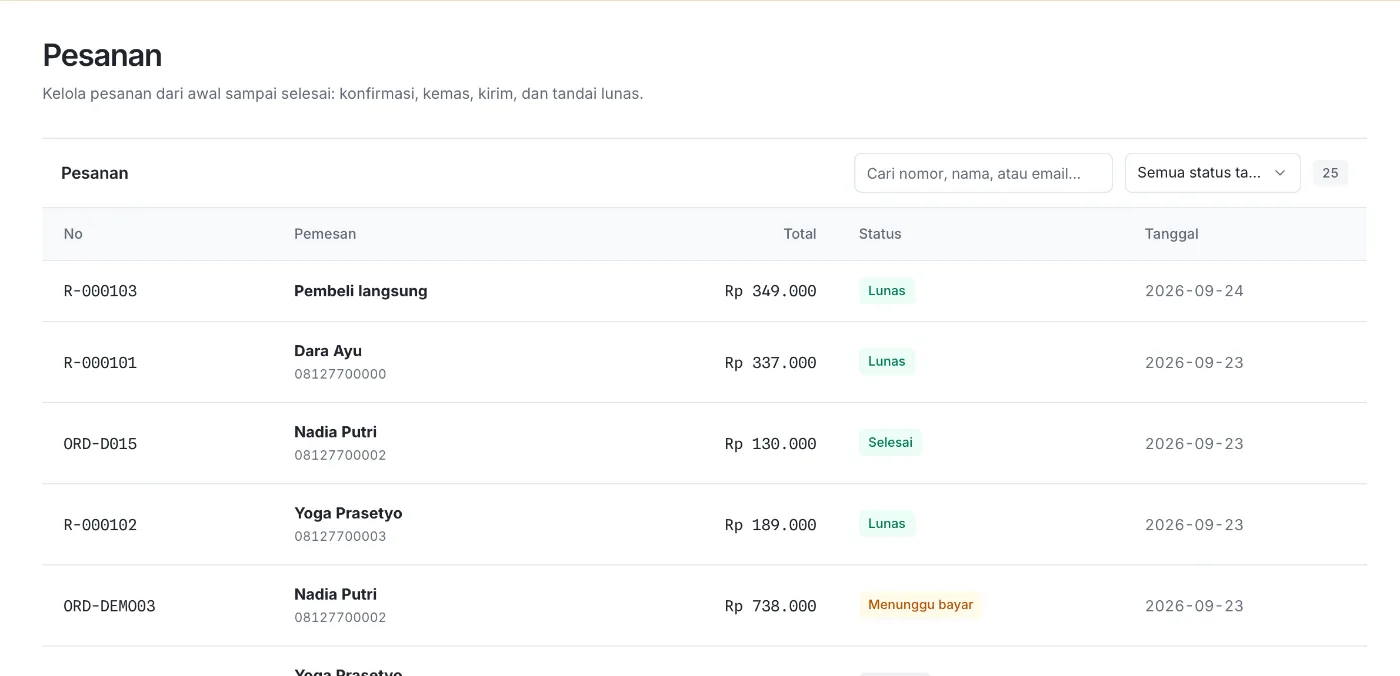
Orders land in the dashboard with their payment status.
Buy again
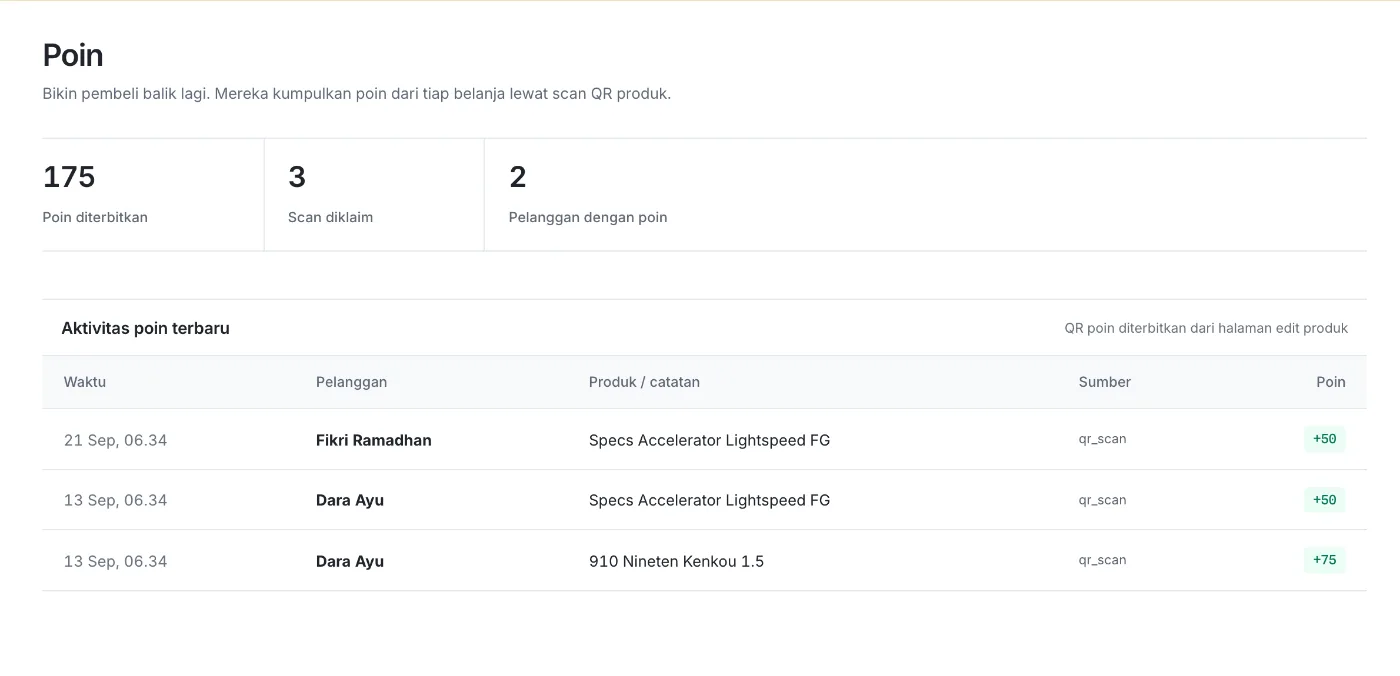
Loyalty points and purchase history give customers a reason to return.
Understand
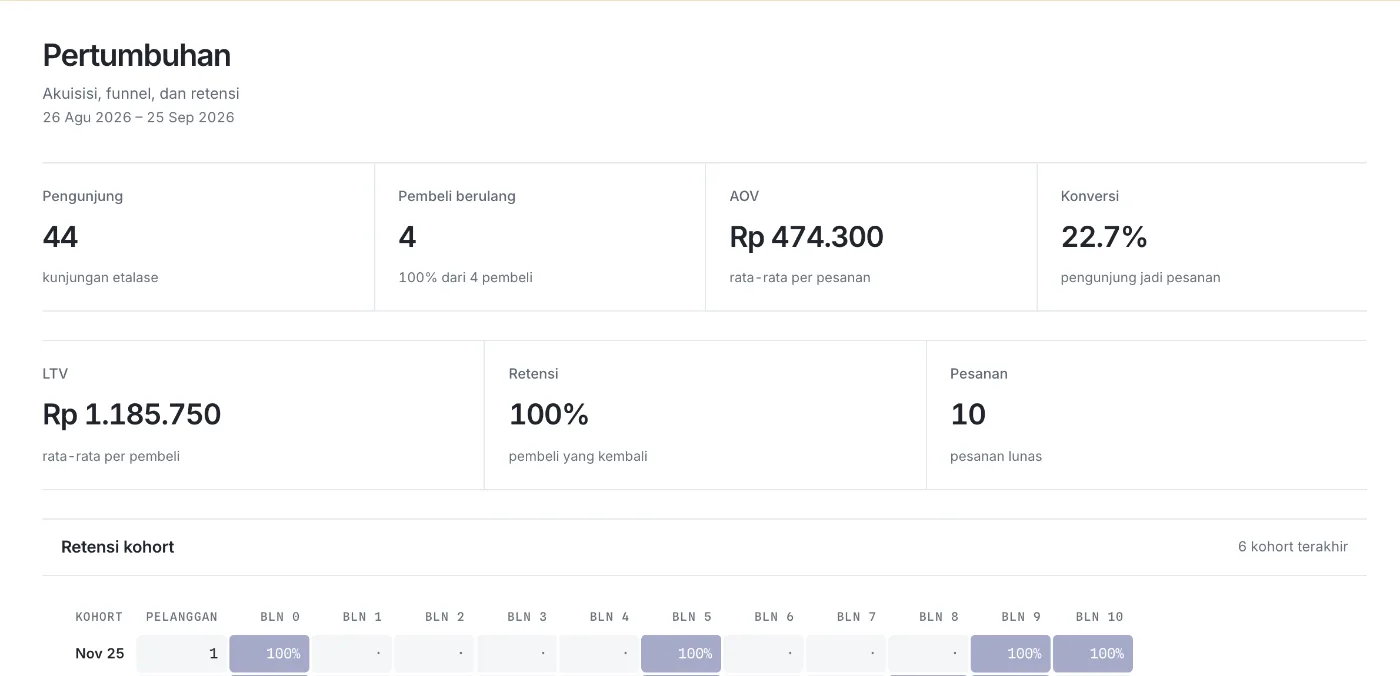
Cohort retention shows how many customers buy again each month.
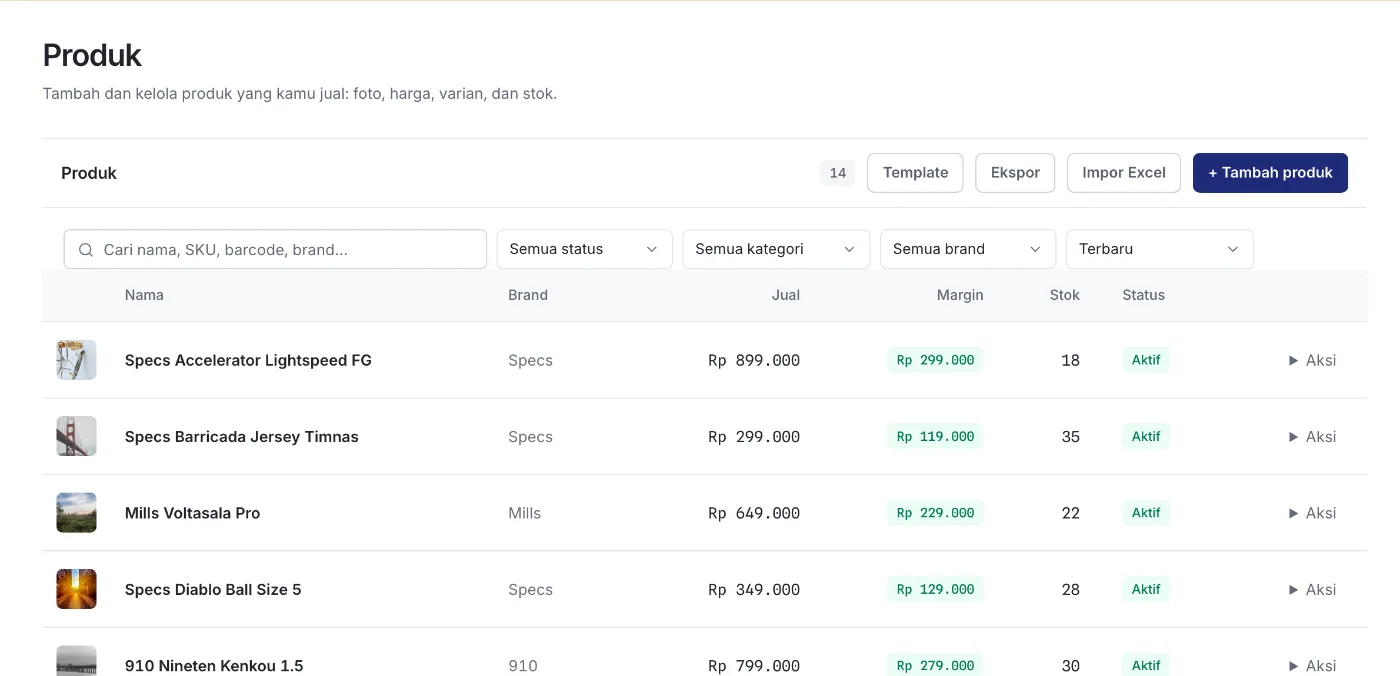
Catalog, orders, and repeat purchase
What you can start with
- Website and product pagesReady to use
- Catalog, categories, and stockReady to use
- Cart, checkout, and ordersReady to use
- Point of saleReady to use
- Sales, discounts, and vouchersReady to use
- Loyalty pointsReady to use
- WhatsApp automationReady to use
- Developer APIReady to use
- Online payment and shippingChecked in the demo
Workflows you can use today
- Catalog and stock
- Manage products, categories, brands, prices, and stock. Import the catalog from a spreadsheet.
- Orders and point of sale
- Manage online orders and sell in person at the point of sale.
- Promotions and vouchers
- Create sales, discounts, and vouchers for customers.
- Loyalty points
- Customers scan a product QR code to collect points, then check their balance.
How a retail brand can use Konteks
The brand imports its catalog from a spreadsheet and publishes collection pages. Orders and loyalty points are recorded on customer profiles. Each month, the team reads cohort retention to see who bought again.
Common questions
Are online payment and shipping included?
Konteks has a checkout and order flow. Activating online payment and shipping depends on your providers and region, so we check it together in the demo.
Can I import my catalog?
Yes. You can import your product catalog from a spreadsheet, with a preview before saving.
How do loyalty points work?
Each product can carry a QR code. Customers scan it to collect points, then check their balance in the member portal.
Can I use my own frontend?
Yes. Online stores get the Developer API to connect your own frontend to the catalog and orders in Konteks.
See Konteks for your online store.
We prepare a demo around your catalog, orders, and repeat purchases.